
Lead CRM
Name, phone, course, source, status and follow-up date. Statuses from New to Converted or Lost. Call and WhatsApp buttons built in.
A complete workflow from enquiry to completed course.

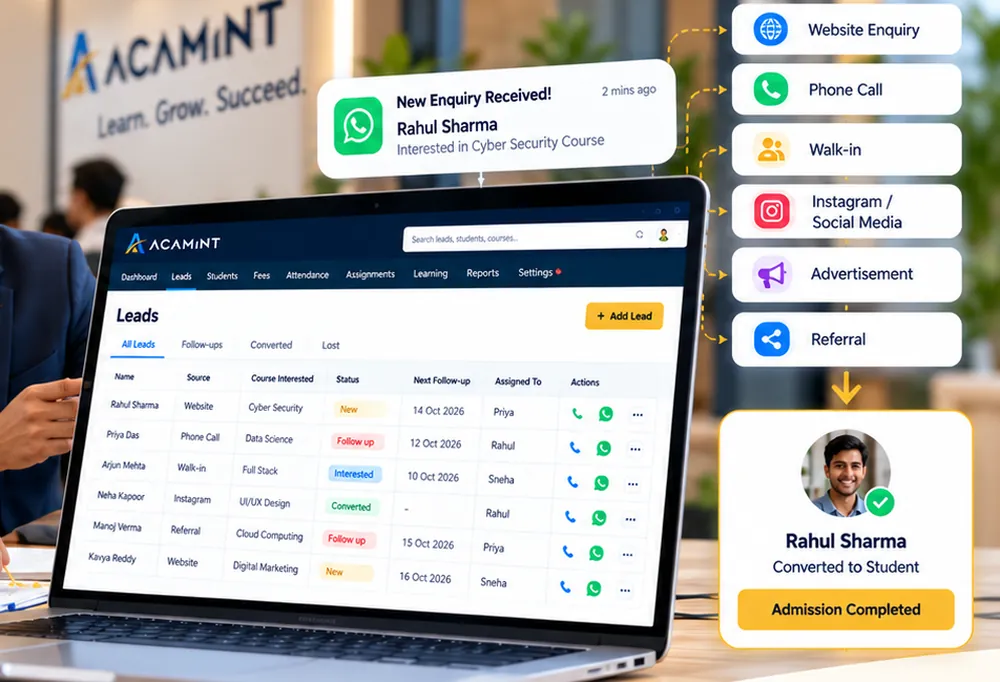
Name, phone, course, source, status and follow-up date. Statuses from New to Converted or Lost. Call and WhatsApp buttons built in.
Choose a batch and convert a lead to an active student in one step. The lead is marked Converted and linked to the new student.
Students, active batches, new leads, fees collected and pending, average learning progress, admissions and revenue by month, lead pipeline, follow-ups and recent activity.
Set course fees once and run morning, evening or weekend batches, each with its own faculty.
Paste a Drive link, choose a batch, save as Draft or Publish. Students see only published classes for their own batch. Built so other storage providers can be added later.
Students log in to see their learning path, mark classes complete, track progress, submit assignments and see their attendance and fees — only their own.
Set assignments per batch with a due date and marks. Students submit a Google Drive link; faculty review, mark and give feedback. Late work is flagged.
Faculty see only the batches assigned to them and can publish classes and mark attendance there.
Mark Present, Absent or Late for a whole batch, then see percentages per student.
Course fee with per-student adjustments, due dates, payment history, printable receipts, and status of Paid, Partially Paid, Pending or Overdue.
Admissions, lead conversion, fee collection, outstanding fees, attendance and learning progress — download as spreadsheet (CSV) or print to PDF.
Choose whether students lose class access while fees are overdue. It is off by default.
Owner, Administrator, Counsellor, Faculty, Accountant, Staff and Student — enforced on the server, not just hidden in the screen.
See exactly what a student sees. It is read-only, clearly bannered and recorded in the audit log.
A notification centre for new leads, admissions, fees received, new classes and replies — plus alerts for overdue fees, due follow-ups and low attendance. One search box finds students, leads, courses, batches, payments and classes.
New owners get a “your institution is X% ready” checklist. Courses, batches, students, leads and classes can all be edited; students can be suspended or moved between batches.
Important actions are recorded, and owners can raise support tickets from inside the app.
Each institution’s data is separate from every other institution’s. Choose an accent colour for your portal.
We list these as upcoming rather than available, so you always know what you are buying today.
Start with a free workspace or explore the live demo — no sign-up needed.
Start Free Book a Demo